Group
For Dashticz a custom block type ‘group’ has been created with the following advantages:
Instantanious update of the group/scene status when one of the devices changes
By longpress on a block, a popup will open showing all the group devices.
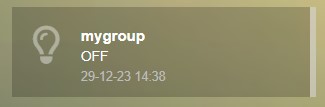
Group blocks can be recognized by the border on the right side of the block.
Block parameters
Parameter |
Description |
|---|---|
width |
|
title |
|
icon |
Defines the icon for this block, choose from: https://fontawesome.com/icons?d=gallery&m=free
'fas fa-eye' |
image |
If you want to show an image instead of an icon, place image in
img/ folder'bulb_off.png' |
idx |
Domoticz group ID to be used for device selection
's12': The devices of Domoticz group 12 will be used12: The devices of Domoticz group 12 will be used |
devices |
Domoticz device id’s belonging to this group (only if
idx is not defined)[ 1, 3, 5]: Device id 1,3 and 5 will be used |
longpress |
true: Enable popup on longpress of block (=default)false: Disable popup |
mixed |
'on' (=default): The group state will be ‘On’ in case at least one device in the group has status ‘On’'off': The group state will be ‘off’ in case at least one device in the group has status ‘Off’ |
Example
An example of a group block:
blocks['mygroup'] = {
  type: 'group',
  devices: [12, 14, 16]
}